


The enterprise AI workplace.
On your cloud.
One governed system where your people and your agents work together, in your own cloud account, with your models, under your brand.
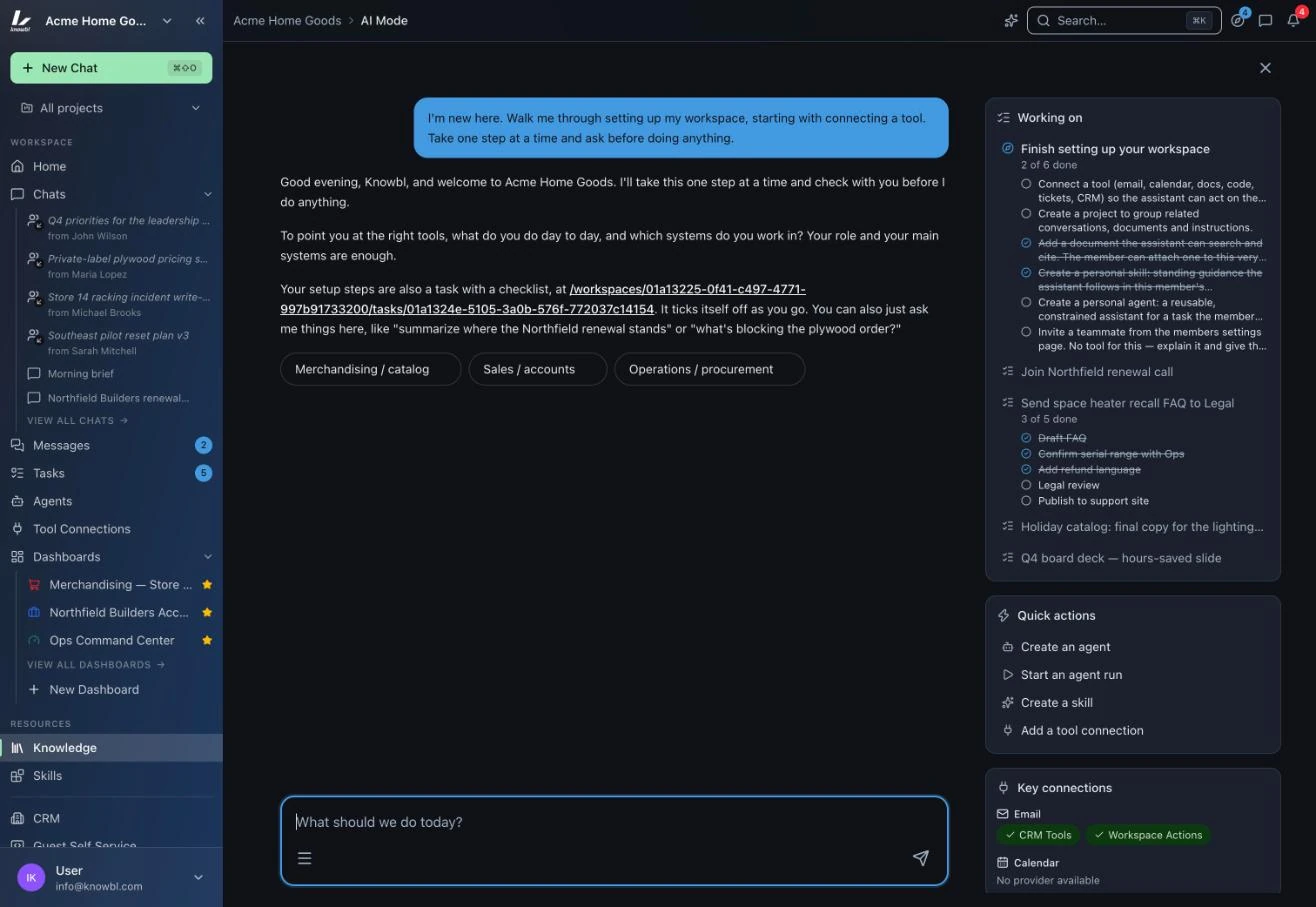
Every object carries a scope. Try it.
Chats, dashboards, skills, agents, knowledge and connections are Personal, shared with a Team, attached to a Project, or published Workspace-wide. One decision that is the adoption path, the governance model and the reuse engine.
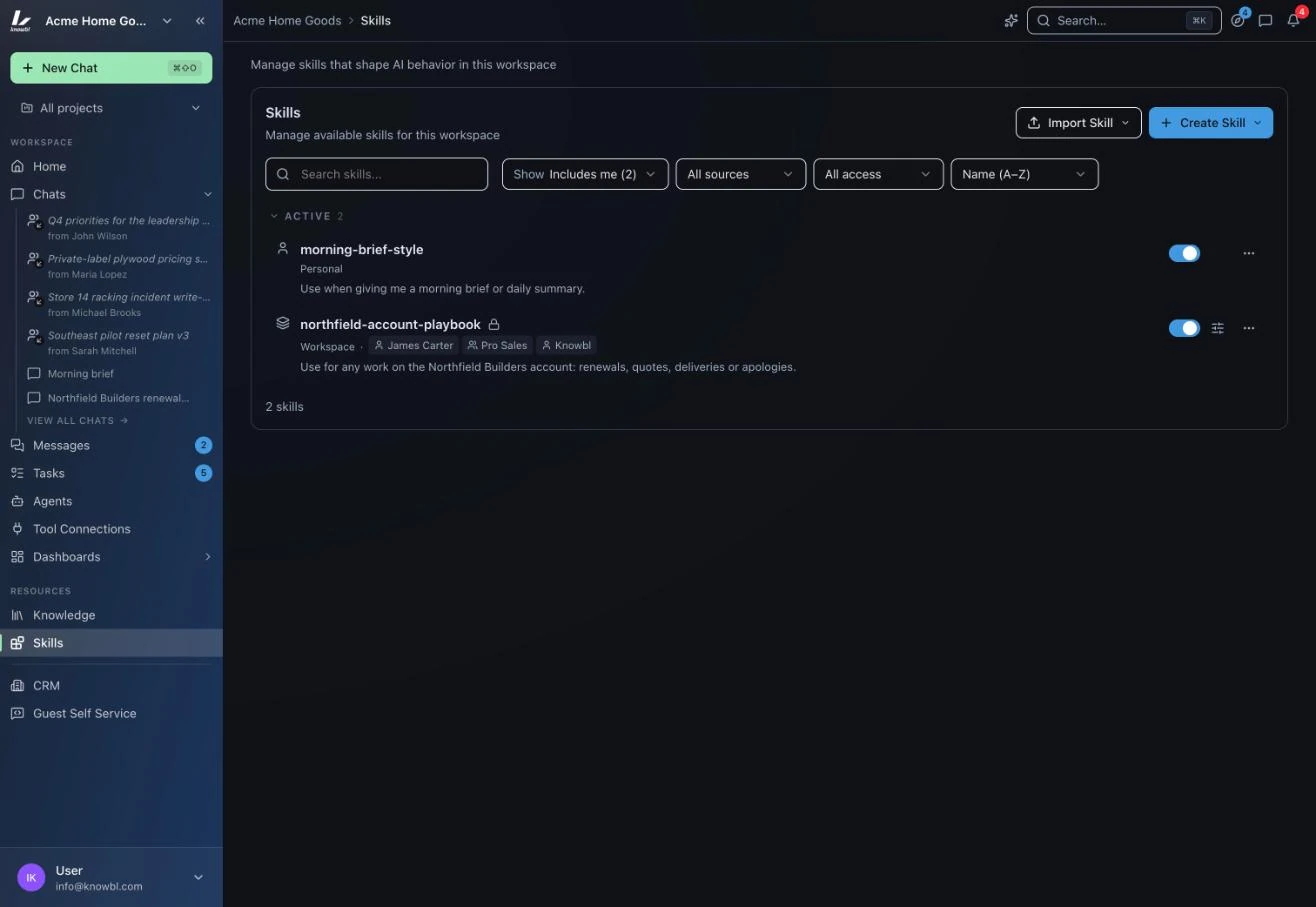
Build it once. Everyone gets it.
James Carter wrote the Northfield account playbook once. Pick a scope and watch who can run it the same way, with their own credentials, without rebuilding anything.
Shared with Team Pro Sales. Everyone on the team runs the same playbook, the same way, with their own CRM credentials.
Bring your agents to work.
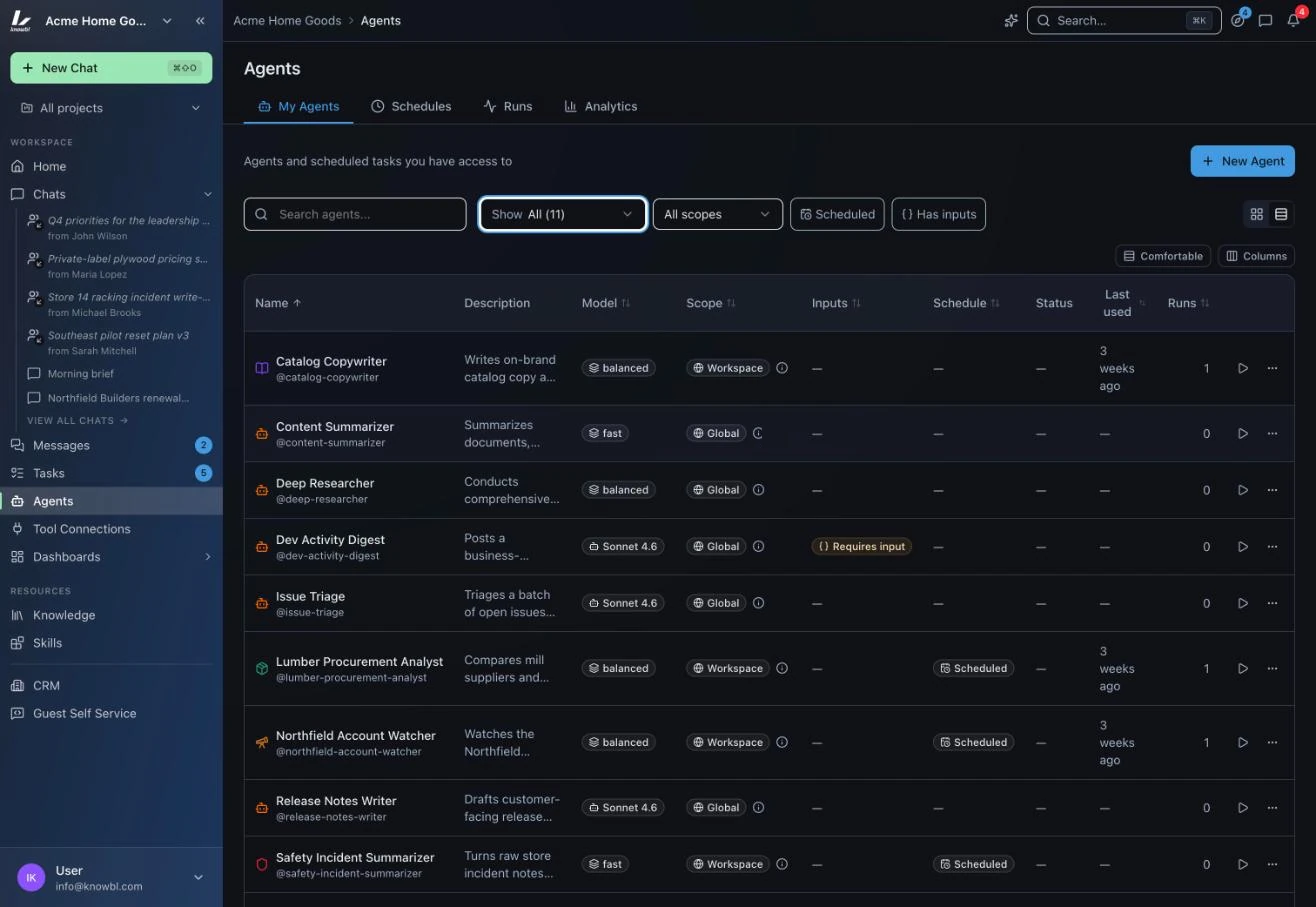
Agents are the newest hires. Skills are their training, tool connections are their access, memory is their experience. Nexus is the desk, the badge and the manager.
- An owner, a scope, a model tier, a schedule and a run history for every agent
- Subagents declare the exact tools they may call and cannot exceed them
- Ownership is reassignable, so the agent stays when its builder leaves
Built for how organizations run.
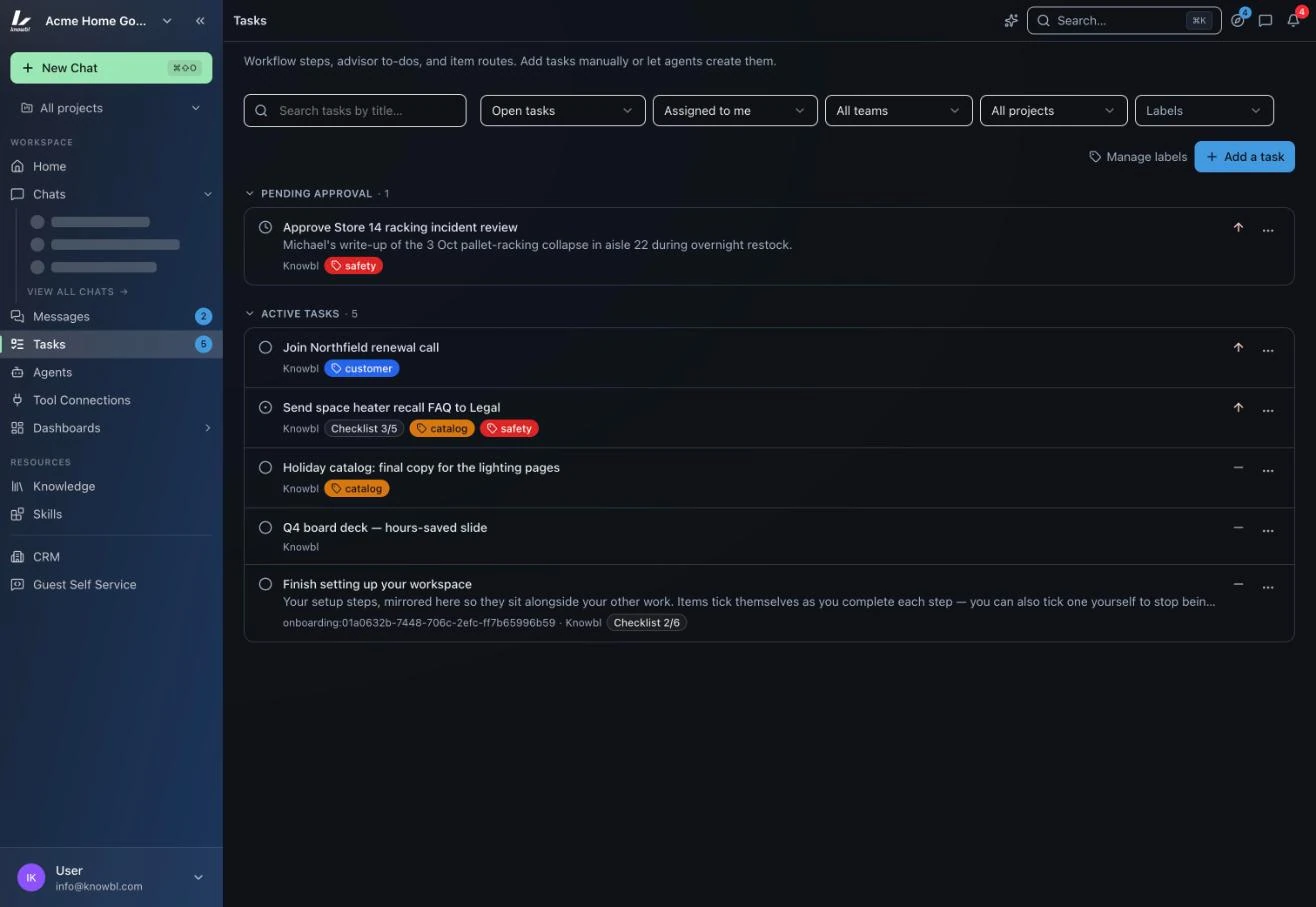
Every department can buy an AI tool built for its function. None of them see one another, and the work that matters crosses all of them. Nexus puts the handoff inside the workplace.
- Projects hold the chats, dashboards, knowledge, tasks and agents for work that crosses teams
- Teams group people and control access, the org chart you actually have
- Tasks travel between teams with their context, from meetings and from agents
Your name on the door.
Three branding modes, your assistant's name, your palette down to the sidebar. Employees see their company's AI workplace, not a vendor's.
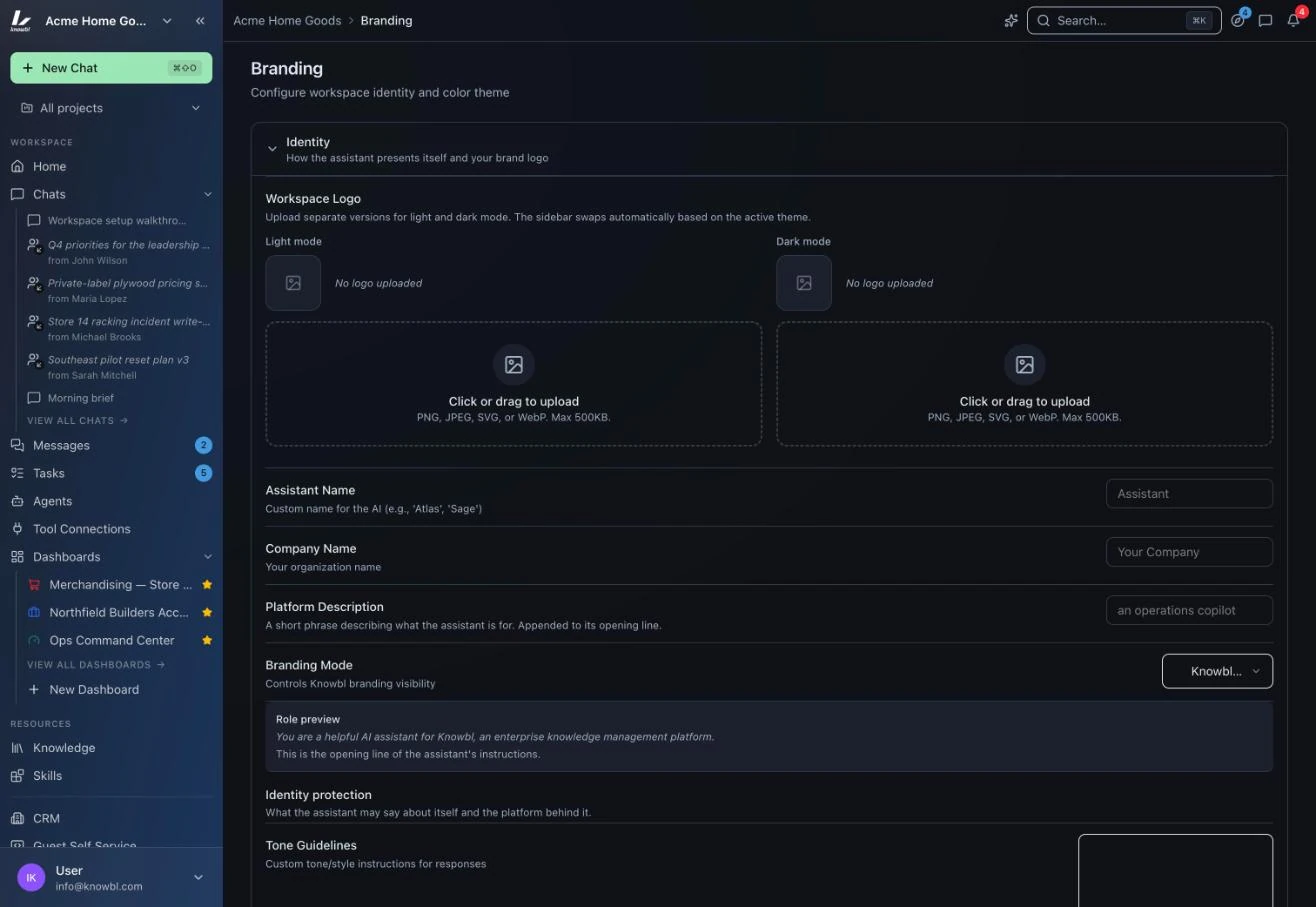
Every surface, by its real name.
Named exactly as it appears in the product, so what you read here is what you will see in the demo.
Home
What your agents did today, usage this week, the Team Activity Feed and Workspace Health. On the computer and on the phone.
AI Mode
One prompt for your day (⌘J). A thread that plans, runs agents, and keeps working after you close it.
Chat
@ for an agent, / for a skill, + for a document. A tier selector, quick actions, citations with footnotes.
Agents
A roster with schedules and runs. Each agent has an owner, a scope, a tier and the tools it declared.
Skills
A procedure written once, run the same way by everyone in scope. Draft with AI and Fix with AI.
Knowledge and Memory
Sources, Pins and Memories with confidence, review and decay. Citations by default.
Tool Connections
MCP over HTTP or stdio. Approved once by an admin, authorized by each user with their own account.
Projects and Teams
Where teams meet the work. Access follows the org chart; the project remembers when people change.
Control plane
Models and tiers, connections, users and roles, limits, retention, branding and Access Audit from one panel.